01 / Plan ahead
Bills have dates.
Goals have a place.
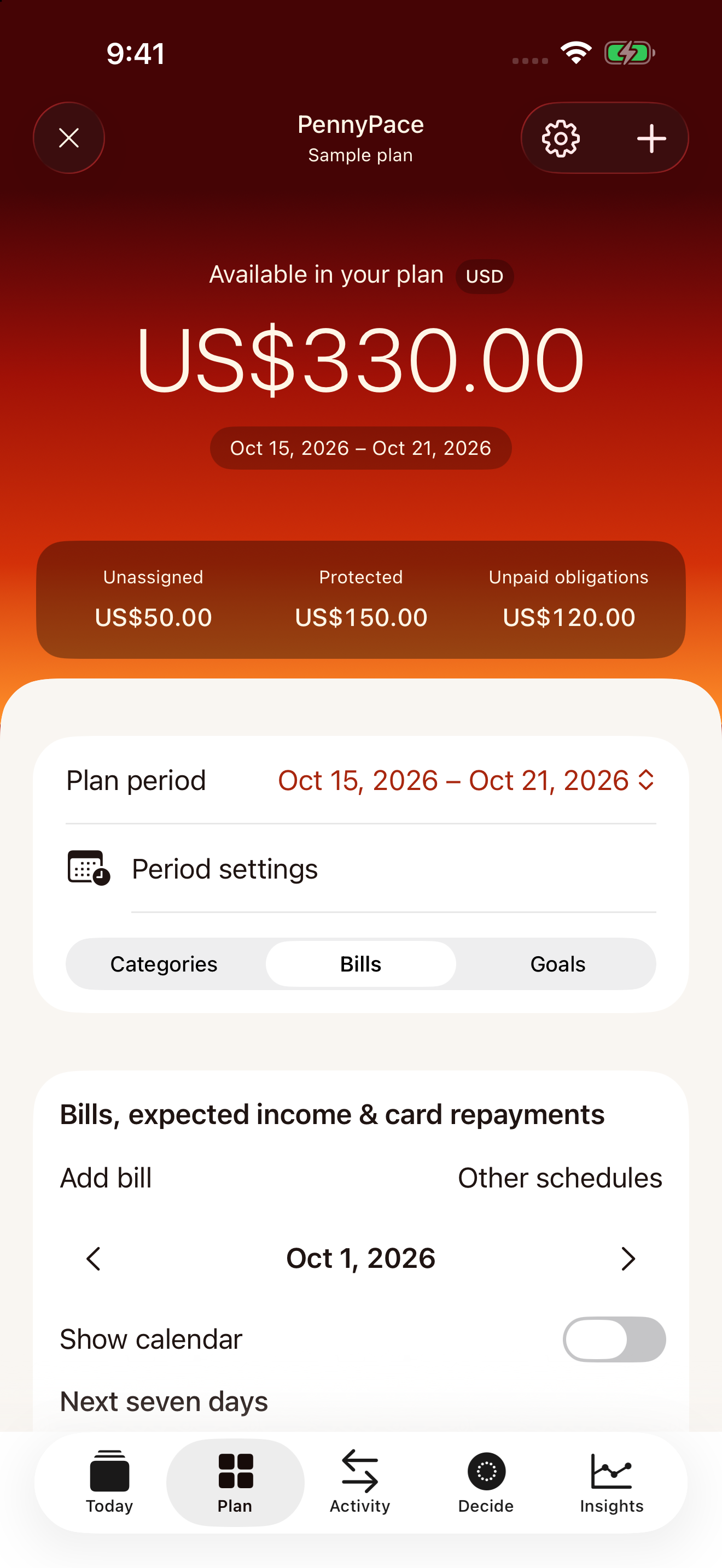
Organize categories, carry rules, and funding. Keep scheduled bills, expected income, repayments, and protected goals connected to your plan.
Your money. Your pace.
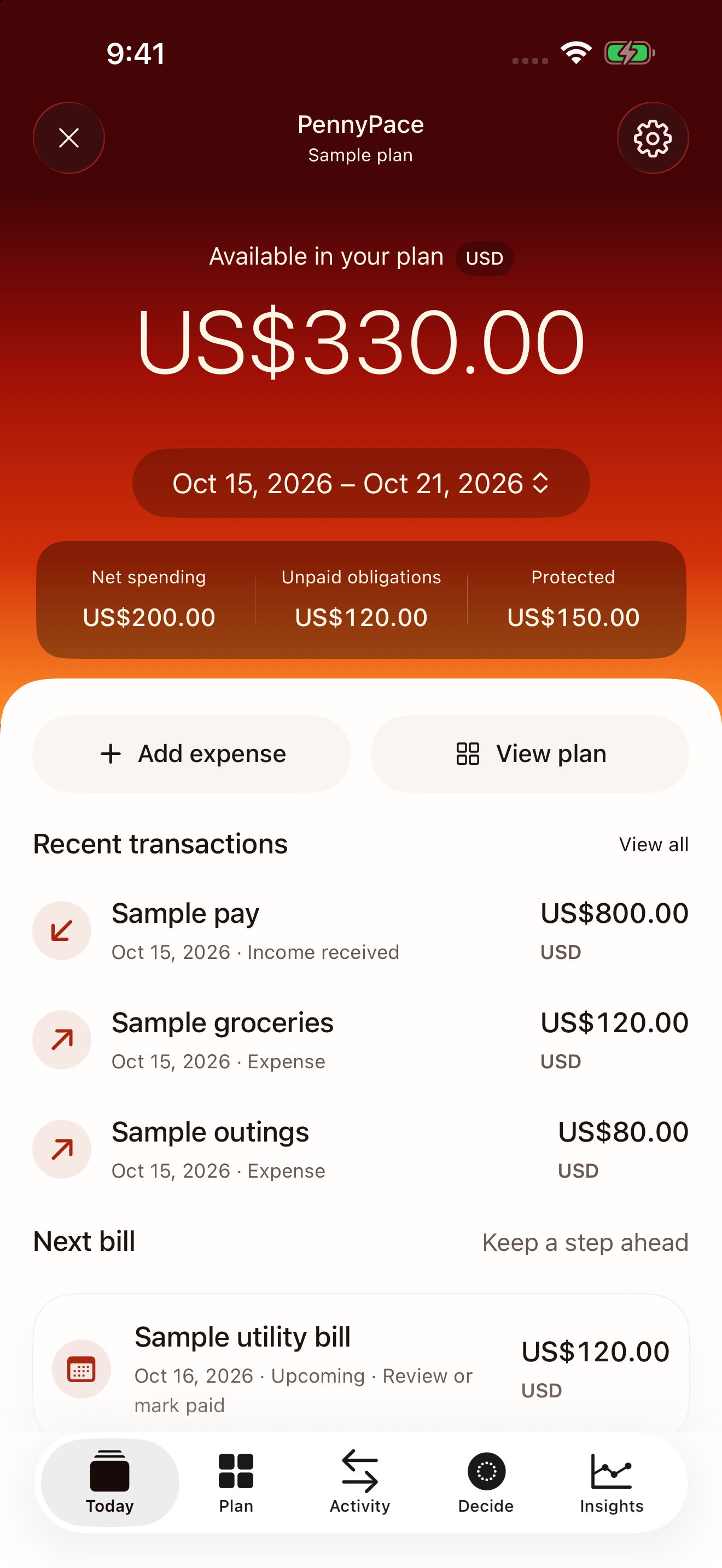
See what’s available in your plan. Keep bills and goals in view. Give your next purchase a little more thought.
For iPhone and iPad. Screens below preview version 3.0; the App Store link shows the currently available release.
A look at PennyPace 3.0
Five places bring the details together: Today, Plan, Activity, Decide, and Insights. Start with availability, understand the entries behind it, then choose your next step.
This is a preview of the next update. Features and screens shown here may differ from the release currently on the App Store. Screenshots show the actual app with illustrative sample data.
01 / Plan ahead
Organize categories, carry rules, and funding. Keep scheduled bills, expected income, repayments, and protected goals connected to your plan.
02 / Think it through
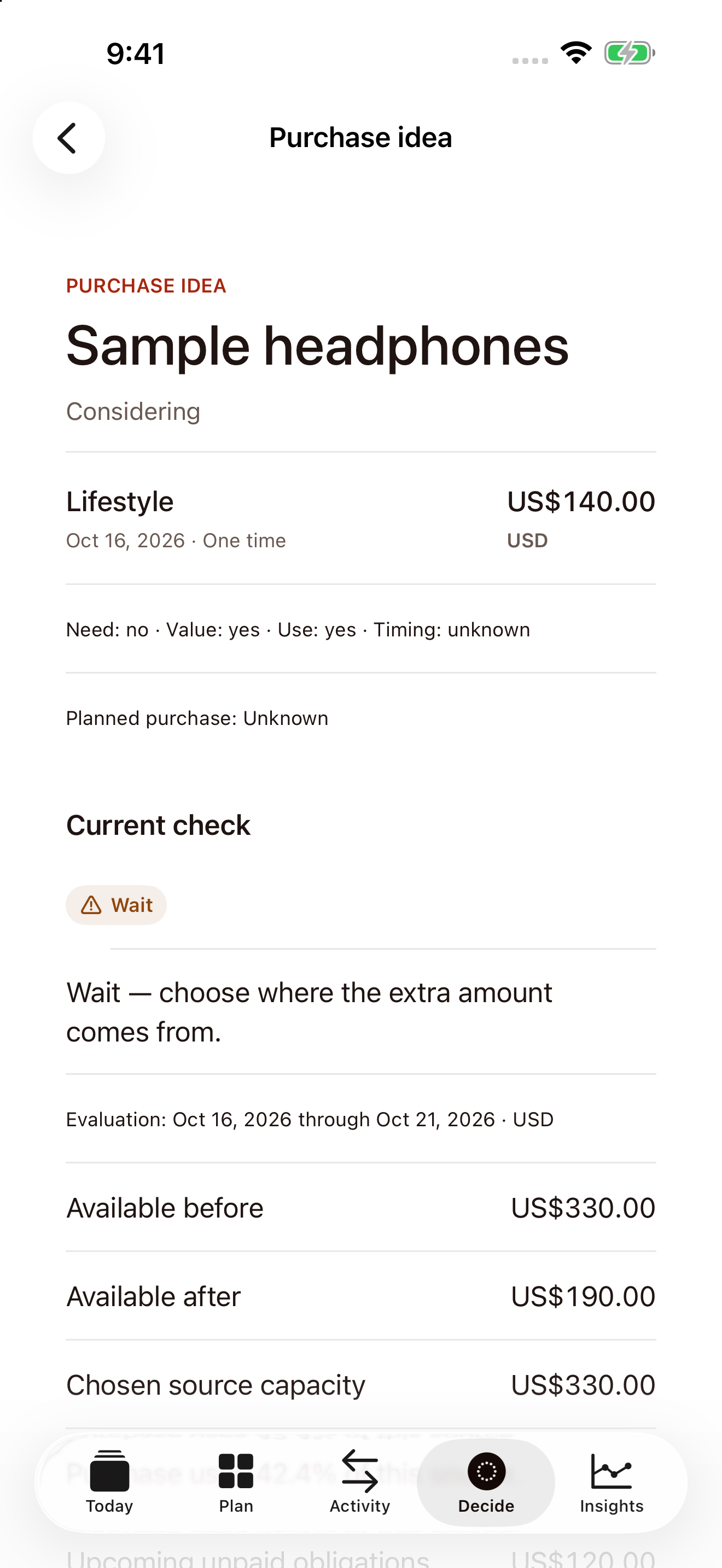
Check a purchase against your plan. Save an idea, revisit it later, record your decision, and reflect on it later.
03 / Understand the pattern
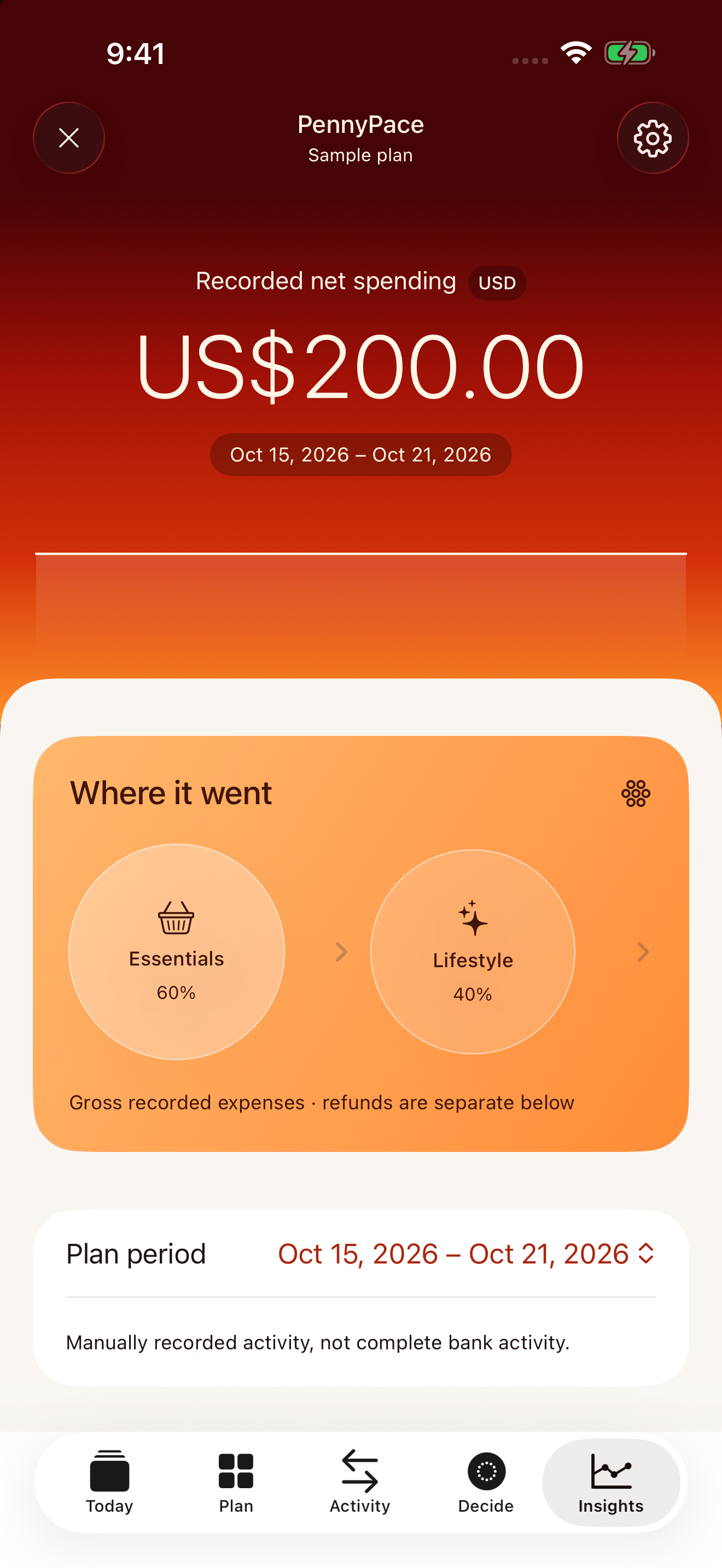
Review recorded spending by period and category. Open the activity behind the figures, with refunds kept distinct from gross expenses.
The details belong, too
Version 3.0 brings everyday records and longer plans into the same picture.

Private by design
Your financial records are stored on your device. No account, bank connection, ads, or added analytics. When you export or share a file, you choose where it goes. Exports are not encrypted by PennyPace.
Read the privacy policyGet backup guidance, answers, and direct developer support.
PennyPace is a manual planning tool. Availability and purchase prompts depend on your entries; they are estimates, not financial advice or a guarantee of affordability.